
Introduction
The restaurant industry has evolved significantly over the past decade, driven by changing customer expectations, technological advancements, and increasing competition. Today, restaurant owners must manage multiple aspects of their operations efficiently, from order taking and inventory tracking to customer service and financial reporting. One of the most important technologies helping restaurants achieve these goals is the Restaurant Point of Sale (POS) System.
A Restaurant POS System is much more than a traditional cash register. It serves as the central hub of restaurant operations, enabling businesses to streamline workflows, improve customer experiences, increase efficiency, and maximize profitability. Whether it’s a small café, a fast-food outlet, a food truck, or a fine-dining establishment, a modern POS system can transform how a restaurant operates.
This article explores restaurant POS systems, their features, benefits, types, implementation considerations, and future trends.
What Is a Restaurant POS System?
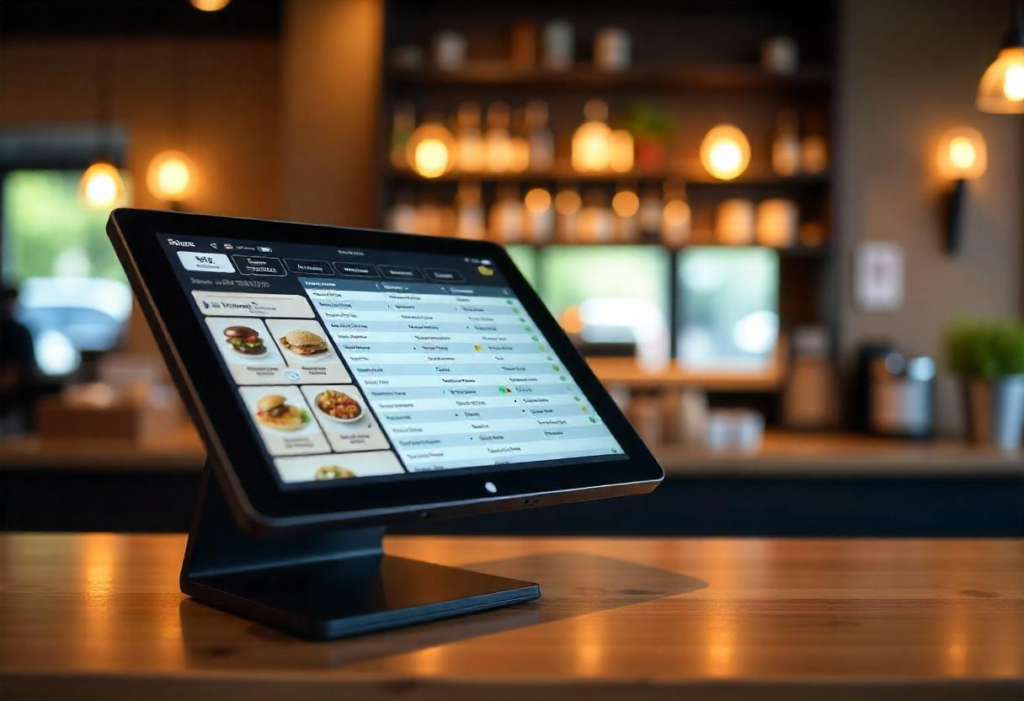
A Restaurant POS (Point of Sale) System is a software and hardware solution designed specifically to help restaurants manage sales transactions and daily operations. It combines payment processing with various management functions such as order management, inventory control, employee scheduling, customer relationship management, and reporting.
The POS system acts as the primary interface between customers and restaurant staff. Servers use it to enter orders, kitchen staff receive order details instantly, and managers access valuable business insights through reports and analytics.
Modern POS systems are often cloud-based, allowing restaurant owners to access their business data from anywhere using a computer, tablet, or smartphone.
Key Components of a Restaurant POS System
1. Hardware Components
Restaurant POS hardware typically includes:
- Touchscreen terminals
- Tablets
- Receipt printers
- Kitchen display systems (KDS)
- Barcode scanners
- Cash drawers
- Card payment terminals
- Customer-facing displays
These devices work together to ensure smooth restaurant operations and efficient customer service.
2. Software Components
The software side of a POS system manages:
- Order processing
- Billing and payments
- Inventory management
- Employee management
- Reporting and analytics
- Customer loyalty programs
- Online ordering integration
Modern POS software is designed to be user-friendly and customizable according to restaurant requirements.
How a Restaurant POS System Works
The operation of a restaurant POS system follows a simple workflow:
- A customer places an order.
- The server enters the order into the POS system.
- The order is automatically sent to the kitchen display or printer.
- Kitchen staff prepare the meal.
- The completed order is delivered to the customer.
- Payment is processed through the POS system.
- Sales and inventory records are updated automatically.
- Management receives real-time business reports.
This automated process reduces errors, improves communication, and speeds up service.
Essential Features of a Restaurant POS System
Order Management
Order management is the core function of any restaurant POS system. Staff can quickly enter orders, modify items, split bills, and process payments.
Benefits include:
- Faster order entry
- Reduced mistakes
- Improved table turnover
- Better customer satisfaction
Inventory Management
Inventory management helps restaurants track ingredients and stock levels in real time.
Features include:
- Automatic inventory updates
- Low-stock alerts
- Supplier management
- Waste tracking
- Purchase order creation
Proper inventory control reduces food waste and improves profitability.
Table Management
Table management tools help staff monitor dining room activity efficiently.
Capabilities include:
- Table status tracking
- Reservation management
- Seating optimization
- Waitlist management
These features improve customer flow and maximize seating capacity.
Employee Management
Restaurant POS systems often include workforce management tools.
Functions may include:
- Employee scheduling
- Time tracking
- Payroll integration
- Performance monitoring
- Access permissions
Managers can optimize staffing levels and reduce labor costs.
Customer Relationship Management (CRM)
CRM functionality enables restaurants to build stronger customer relationships.
Features include:
- Customer profiles
- Purchase history
- Loyalty programs
- Personalized promotions
- Marketing campaigns
These tools encourage repeat visits and increase customer retention.
Reporting and Analytics
Data-driven decision-making is essential for restaurant success.
POS reporting provides insights into:
- Daily sales
- Popular menu items
- Labor costs
- Inventory usage
- Customer behavior
- Revenue trends
Managers can identify opportunities for growth and improvement.
Benefits of Using a Restaurant POS System
Increased Efficiency
A POS system automates many manual tasks, allowing employees to focus on serving customers rather than handling paperwork.
Efficiency improvements include:
- Faster order processing
- Reduced administrative work
- Streamlined communication
- Improved workflow management
Improved Accuracy
Manual order taking often results in mistakes that can frustrate customers and increase costs.
POS systems improve accuracy through:
- Digital order entry
- Automated calculations
- Direct kitchen communication
- Inventory synchronization
Enhanced Customer Experience
Customer satisfaction is crucial in the restaurant industry.
POS systems contribute by:
- Reducing wait times
- Improving order accuracy
- Offering flexible payment options
- Supporting loyalty programs
Happy customers are more likely to return and recommend the restaurant to others.
Better Financial Management
Restaurant owners need accurate financial information to make informed decisions.
POS systems provide:
- Real-time sales tracking
- Expense monitoring
- Profitability analysis
- Tax reporting assistance
These capabilities support better financial planning and management.
Inventory Cost Reduction
Food costs represent a significant portion of restaurant expenses.
POS inventory tools help by:
- Preventing over-ordering
- Minimizing waste
- Tracking ingredient usage
- Improving purchasing decisions
This leads to higher profit margins and improved operational efficiency.
Types of Restaurant POS Systems
Traditional POS Systems
Traditional POS systems are installed on-site and operate using local servers.
Advantages:
- Reliable performance
- Strong security
- No dependence on internet connectivity
Disadvantages:
- Higher upfront costs
- Limited remote access
- More complex maintenance
Cloud-Based POS Systems
Cloud-based POS systems store data online and offer remote accessibility.
Advantages:
- Lower initial investment
- Automatic updates
- Remote management
- Scalability
Disadvantages:
- Internet dependency
- Ongoing subscription costs
Cloud solutions have become increasingly popular among modern restaurants.
Mobile POS Systems
Mobile POS systems use smartphones or tablets for transaction processing.
Benefits include:
- Portability
- Lower hardware costs
- Faster table-side service
- Flexible deployment
They are especially useful for food trucks, cafés, and quick-service restaurants.
POS Systems for Different Restaurant Types
Quick-Service Restaurants (QSR)
Fast-food establishments require speed and efficiency.
POS features for QSRs include:
- Rapid order entry
- Drive-thru integration
- Self-service kiosks
- Mobile ordering support
Casual Dining Restaurants
Casual dining restaurants benefit from:
- Table management
- Split billing
- Loyalty programs
- Reservation systems
Fine Dining Restaurants
Fine dining operations require sophisticated functionality such as:
- Advanced table management
- Detailed customer profiles
- Wine inventory tracking
- Personalized service features
Food Trucks
Food trucks need mobility and flexibility.
Important features include:
- Mobile payment processing
- Offline functionality
- GPS integration
- Compact hardware
Online Ordering Integration
Online ordering has become a major revenue source for restaurants.
Modern POS systems integrate with:
- Restaurant websites
- Mobile apps
- Delivery services
- Third-party ordering platforms
Benefits include:
- Increased sales
- Reduced manual entry
- Better order accuracy
- Centralized management
Customers enjoy the convenience of placing orders from anywhere.
Kitchen Display Systems (KDS)
Kitchen Display Systems replace traditional paper tickets with digital screens.
Advantages include:
- Faster communication
- Reduced paper usage
- Improved order accuracy
- Real-time preparation tracking
KDS technology improves kitchen efficiency and reduces delays.
Payment Processing Capabilities
Today’s customers expect multiple payment options.
Modern restaurant POS systems support:
- Credit cards
- Debit cards
- Mobile wallets
- Contactless payments
- QR code payments
- Gift cards
Flexible payment methods enhance customer convenience and satisfaction.
Restaurant POS Security
Security is a critical consideration for restaurants handling sensitive customer information.
Important security features include:
Data Encryption
Encryption protects payment and customer data from unauthorized access.
User Permissions
Role-based access controls limit employee access to sensitive information.
Secure Payment Processing
Compliance with payment industry standards helps reduce fraud risks.
Cloud Backup
Automatic backups protect business data from loss due to hardware failures or cyberattacks.
Choosing the Right Restaurant POS System
Selecting the best POS system requires careful evaluation.
Consider the following factors:
Business Size
Small cafés may need basic functionality, while large restaurant chains require advanced features.
Budget
Consider:
- Hardware costs
- Software subscriptions
- Installation fees
- Training expenses
Ease of Use
A user-friendly interface reduces training time and increases employee adoption.
Integration Capabilities
Ensure compatibility with:
- Accounting software
- Delivery platforms
- Payroll systems
- Marketing tools
Customer Support
Reliable support is essential for resolving technical issues quickly.
Implementation Best Practices
Successful POS implementation involves several steps.
Staff Training
Employees should receive comprehensive training before launch.
Training topics include:
- Order processing
- Payment handling
- Troubleshooting
- Reporting functions
Data Migration
Historical sales and customer information should be transferred accurately.
Testing
Conduct thorough testing before going live to identify potential issues.
Continuous Evaluation
Monitor system performance and gather employee feedback to optimize usage.
Common Challenges and Solutions
Employee Resistance
Some staff members may hesitate to adopt new technology.
Solution:
- Provide training
- Demonstrate benefits
- Offer ongoing support
Technical Issues
System downtime can disrupt operations.
Solution:
- Choose reliable vendors
- Maintain backups
- Establish support procedures
Integration Problems
Software compatibility issues can arise.
Solution:
- Verify integration requirements beforehand
- Conduct testing
- Work with experienced providers
Future Trends in Restaurant POS Systems
Technology continues to reshape the restaurant industry.
Artificial Intelligence
AI-powered POS systems can:
- Predict demand
- Recommend menu items
- Automate customer support
- Improve forecasting
Self-Service Kiosks
Customers increasingly prefer self-ordering options.
Benefits include:
- Reduced labor costs
- Faster service
- Increased order accuracy
Contactless Technology
Contactless payments and digital menus are becoming standard features.
Advanced Analytics
Future POS systems will provide deeper business insights through predictive analytics and machine learning.
Voice Ordering
Voice-enabled ordering may become more common in both dining rooms and drive-thru operations.
Automation Integration
POS systems will increasingly connect with automated kitchen equipment and robotic service solutions.
Conclusion
A Restaurant POS System is one of the most valuable investments a restaurant can make. Beyond processing transactions, modern POS systems streamline operations, improve customer experiences, enhance inventory management, optimize labor costs, and provide valuable business insights.
Whether operating a small café, a growing restaurant chain, or a mobile food truck, the right POS system can significantly improve efficiency and profitability. As technology continues to advance, restaurant POS systems will become even more intelligent, connected, and capable of supporting business growth.
Restaurants that embrace modern POS technology position themselves to meet changing customer expectations, adapt to industry trends, and maintain a competitive advantage in an increasingly digital marketplace. Investing in the right restaurant POS solution today can create a strong foundation for long-term success and sustainable growth.